Registration is open for Faculty Learning Community: Advancing Equity in the Classroom.
Sessions begin January 2027.
Sessions begin January 2027.
Due to COVID-19, McGill University, along with institutions across the globe, has shifted many of its classes, administrative activities, and public workshops to the online environment. While we know that in-person activities will eventually resume, it is clear that facilitating online meetings, and activities are here to stay. This is an opportunity for organizers and presenters to commit to offering an accessible experience, no matter the presentation.
Download a PDF summary of the guide:  Virtual Presenters' Accessibility Guide
There is no recipe for a perfectly accessible event, as individuals' access needs vary, and sometimes even conflict! That being said, the pointers given throughout this document will help shape your planning, and benefit all participants, not just participants with disabilities. Key to planning a truly inclusive and accessible event is to recruit (and apply!) accessibility feedback before, during, and after an event.
Question: How do you gather accessibility feedback before an event? Here are a few ideas:
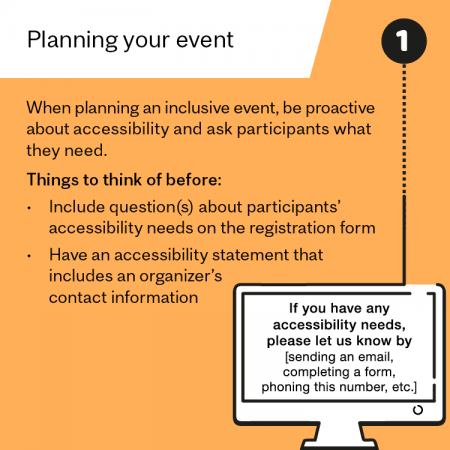
Include question(s) on the registration form for participants to signal an accessibility need. This can be a checkbox of accommodations you are prepared to offer (e.g. live captioning, slides in advance, ASL interpretation), but should always include an option for participants to fill in the blanks and identify their own needs
Include an accessibility statement that lets participants know that as organizers, you are committed to organizing an accessible event, and how they can get in touch with you. Below is an example that you can adapt and use for your event
We are committed to providing a barrier-free event. If you have any accessibility needs, please let us know by [sending an email, completing a form, phoning this number, etc.]
Accessibility issues are not always predictable in advance. If any participants experience difficulty during an event, this feedback is important to receive as you may be able to act on it in the moment. You can do this by:
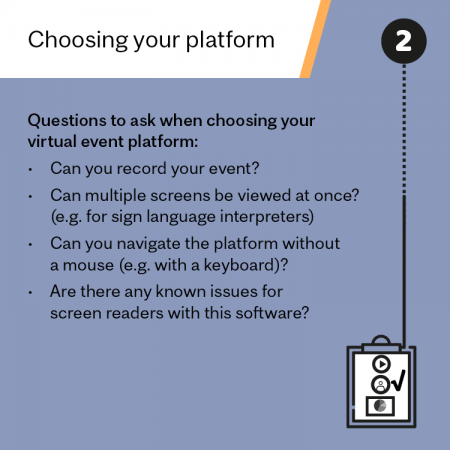
At McGill, we have access to three main web conferencing platforms: Zoom, Microsoft Teams, and WebEX. The following chart provides a simple compare and contrast, highlighting accessibility features, to help you decide which platform to use for the virtual event you are hosting. The hyperlinks lead you to webpages with more information.
|
Question |
|||
|
Does it allow non-McGill users? |
YES |
YES |
YES |
|
Is live captioning built in? |
You can assign a closed captioner or add a 3rd party captioning service, and some accounts allow live automated transcription |
NO – but you can assign a closed captioner |
|
|
Can you record your event? |
|||
|
Can the chat feature be turned on/off? |
NO |
||
|
Can multiple screens be shown at once (used for sign language interpreters) |
YES – interpreter must be assigned as a “panelist” by the organizer |
NO – other video screens will only be thumbnail sized when someone is sharing their screen |
YES – individual must ‘pin’ the interpreter to their screen and change their viewing layout |
As of September 2020, Zoom has added new accessibility features that allow users to pin multiple videos to the screen.
Best videoconferencing apps and software for accessibility. (8 April 2020). Retrieved from: http://bighack.org
As an event organizer, you will need to make some decisions about whether your event will be taking place synchronously (Live, fixed-time, in real-time) or asynchronously (pre-recorded).
Deciding whether or not to record a synchronous (live) event, and make it available to participants after the fact, is a decision you should make at the outset, and that participants need to be made aware of prior to and at the event. If you choose to record, you may offer suggestions for how participants can still participate but with a privacy setting that is comfortable for them (e.g. participants can turn off their video or pose questions in the chat rather than aloud)
You should confer with your fellow event organizers to think about the following:
Virtual meeting fatigue is real! Just as you would expect to be given a break in an in-person event, breaks are needed in virtual events. A good rule of thumb is a minimum of 10 minute break for every 2 hours of presentation. Breaks are necessary for people to attend to their health needs (e.g. go to the washroom, drink a glass of water) or other emerging needs (e.g. childcare, urgent emails) and to optimize their attention for the entirety of your event.
In the spirit of universal design, offering options for engagement is always a good practice. While silence can always be the default option, there are a few activities that you can consider offering your participants during a break:
Some people may want to completely disengage during the break, and that’s ok! You can offer participants to turn off their mics, cameras and audio during the break. Providing the time (e.g. in 5 minutes) that you want participants to regroup and tune back in can be helpful.
The following are some ideas that you can implement at the beginning of your virtual event, that help set the tone for an accessible and inclusive experience.
The content of your event will vary widely, depending on its purpose. You might be organizing a watch-party, a panel discussion, a lecture series, or a virtual class, just to name a few different types of events. If you require specific guidance on improving accessibility for your event, you can contact the Accessibility Advisor at rachel.desjourdy [at] mcgill.ca. The following sections will outline guidelines to follow when presenting with audio-visual materials.
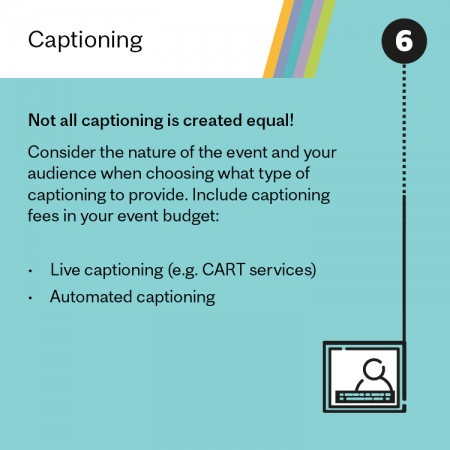
There are two different types of captions: closed captions, and open captions.
Captions are sometimes referred to as subtitles. These words are interchangeable if the language of the subtitles matches the language of the audio. Subtitles can also be used for translation purposes (e.g. on the news), but that is not what we are referring to here. Transcription is another word used when discussing captions. Transcription is the act of turning audio into text.
Captions can be generated two different ways: using voice-recognition technologies, or by having a human captioner live transcribe the session.
Artificial Intelligence (AI) has advanced in the past couple of years, and businesses such as YouTube, Google, and Microsoft have invested in voice-recognition capabilities in their products. Voice recognition technology has the power to vastly improve accessibility for a large number of users, however, one should be aware of its strengths and limitations before making a decision.
Strengths:
Limitations:
Captioning is also possible by having a person assigned as a captioner. These can be hired professionals, or volunteers. Do not underestimate the difficulty of live captioning if you will be assigning a non-professional, or a volunteer, to transcribe your event!
Professional services can be hired, and these services are often referred to as CART (Communication Access Real Time). The rate varies depending on the company you contract, but generally around 100-150$/hr. There is usually a minimum commitment of a couple of hours per session. The amount of notice required for an event depends of the company. Most professional services do not require the captioner to be physically present, but rather have a direct audio connection into the session (e.g. via a microphone, or a telephone call). The captions are generally projected onto a second screen for the participants.
The following organizations are examples of captioning services that you can contract for your event. These are listed for informational purposes only, to support you in your search process.
Working with sign language interpreters is essential to ensuring the full participation of Deaf folks in your events. Sign languages, as do spoken languages, vary greatly. Before hiring a sign language interpreter, you will want to know a) the language spoken by the presenter(s) at the event, and b) the sign language understood by participants. In Quebec, there are two prominent signed languages: ASL (American Sign Language) and LSQ (Langue des signes quebecoise). A few notes:
The Association of Visual Language Interpreters of Canada has an online, searchable directory of members who have opted in. You can also reach out to Deaf participants for recommendations in the community.
A few tips for working with PowerPoint:
Even the most visually accessible PowerPoint can still cause barriers if the presenter neglects to implement some of these behaviours when presenting:
If you plan on using videos, podcasts, or other media during your virtual event, you will want to consider the following:
It is important to signal to your event participants that a potentially sensitive and/or triggering topic will be addressed, prior to starting that portion of the presentation/event/discussion. This signalling can be referred to as a “content warning” or a “trigger warning”. These notices are especially important when discussing topics of violence (e.g. racial, sexual and/or gendered violence), and trauma (e.g. generational, medical).
You can provide these signals to your participants via written notices, or verbal notices. From a universal design perspective, it’s always best to provide it in both modalities! Some presenters also take this opportunity to provide participants with reminders of self-care, or the options they have to engage/disengage.
Most platforms offer some form of engagement for participants such as:
A few things to remember when using any of these virtual participation activities in your event:
There are also other ways to engage with your participants outside of the platform you are using. A few ideas:
CamelCase example: Instead of the hashtag #blacklivesmatter, capitalize the first letter of each word: #BlackLivesMatter.
If you have decided to make your event recordings and/or materials available after the session, be sure to do the following before publishing:
It’s also a best practice to include a contact for your participants to request the material in an alternate format.
Sample statement: Alternate formats are available upon request to [insert email address here]
McGill University is on land which has long served as a site of meeting and exchange amongst Indigenous peoples, including the Haudenosaunee and Anishinabeg nations. We acknowledge and thank the diverse Indigenous peoples whose presence marks this territory on which peoples of the world now gather.
For more information about traditional territory and tips on how to make a land acknowledgement, visit our Land Acknowledgement webpage.